

Garanify for JTL-Shop 5
For JTL-Shop 5, you maintain the guarantee data where you already work: as function attributes in JTL-Wawi. Garanify uses them to show the notice and GARAN label in the NOVA template.
Coming soonWrite to us and we will let you know at launch.hello@qadsoft.dev
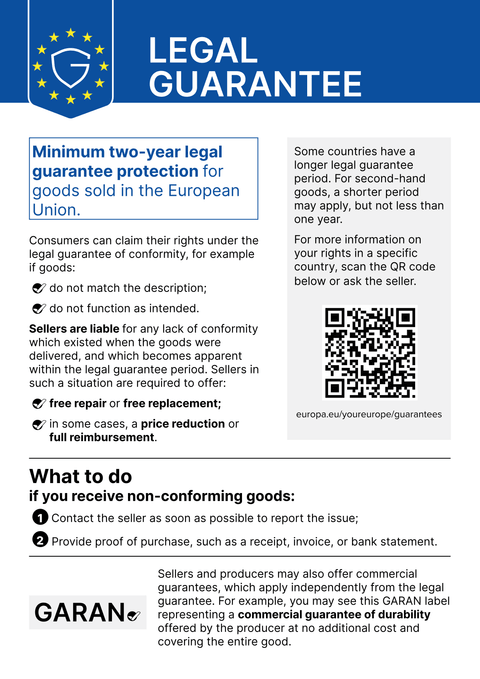
Setup in JTL-Shop 5
This is how setup works after launch.
- 1
Install the plugin
In the shop back end under Plugins › Plugin manager, upload the plugin (ZIP on request). Once it is in the Extension Store, you can also install it from there. Then activate it.
- 2
Choose locations
In the plugin settings, set where the notice appears: product page, basket, checkout before the order button, order confirmation.
- 3
Maintain data in Wawi
On the product, set the function attributes
garanify_jahre, optionallygaranify_markeandgaranify_modell, and sync them, or define rules such asHersteller=Miele;10. - 4
Check
After syncing, open the product page: the GARAN label appears when the details are valid.
What Garanify does in JTL-Shop 5
- Notice in 24 languages, shop language detected automatically
- GARAN label from function attributes in JTL-Wawi
- Rules by manufacturer or category, one per line
- Model taken from the HAN by default, otherwise the SKU
Questions about JTL-Shop 5
Do I have to maintain every product individually?
No. With rules such as Hersteller=Bosch;5, one guarantee duration applies to all products from a manufacturer. Attributes on the product take priority.
Which templates are supported?
The NOVA template from JTL-Shop 5.2. Child templates derived from NOVA should work too, but please check before going live.
Guides and articles for JTL-Shop 5
All JTL-Shop 5 help articles-
 Blog
Legal guarantee notice in JTL-Shop 5: how to add it (2026)
To add the mandatory EU notice on the legal guarantee in JTL-Shop 5, Garanify is planned as a plugin: once it is listed in the JTL Extension Store, you install it, switch the notice on, choose the places (product page, cart, checkout) and check the shop. The plugin is in preparation and not yet in the JTL Extension Store. The GARAN label is added only for a manufacturer guarantee of more than 2 years.
2 min read
-
 Help
Set up Garanify in JTL-Shop 5
Install and set up Garanify in JTL-Shop 5: Plugin Manager, installed plugins, the setup guide and a check in the NOVA template.
-
 Help
Show and place the notice in JTL-Shop 5
Switch on the legal guarantee notice in JTL-Shop 5 and choose its placements: product page, cart, checkout and order confirmation.
Other platformsComing soon
The notice and the GARAN label, from your product data.
Choose your shop system or let us set it up: €99, one year of Pro included.