

JTL-Shop 5 Plugin
Show and place the notice in JTL-Shop 5
Last updated 18 November 2026
In short
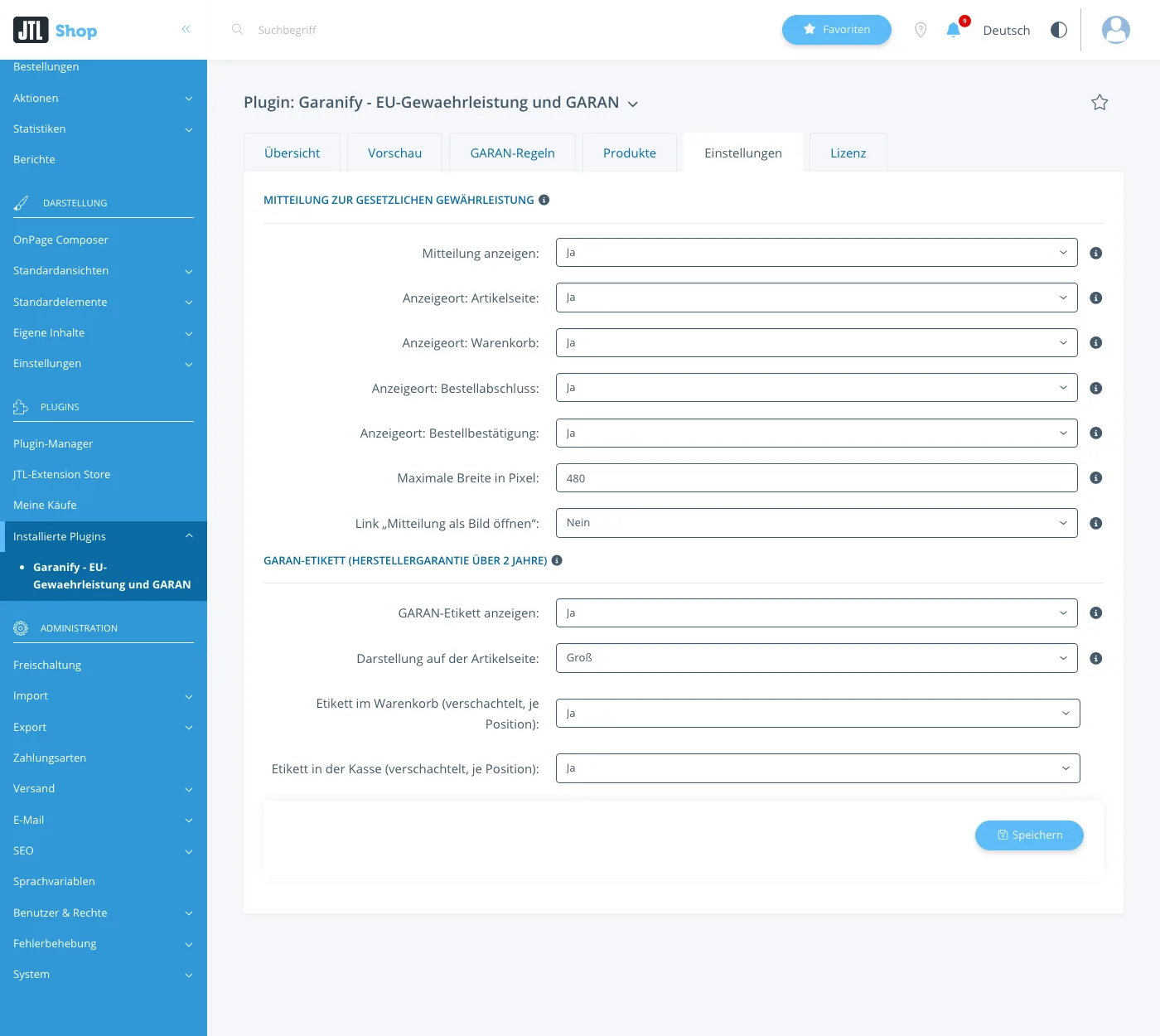
You switch on the notice on the legal guarantee on the Settings tab with “Show notice”. The placements choose product page, cart, checkout and order confirmation. Garanify inserts the notice at fixed points of the NOVA template.
Switch on
On the Settings tab, section Notice on the legal guarantee, set Show notice to Yes and click Save.
Placements
| Setting | Where the notice appears |
|---|---|
| Placement: product page | below the add-to-cart button |
| Placement: cart | above the checkout button |
| Placement: checkout | in the last checkout step, right above the order button |
| Placement: order confirmation | on the page after the order |
More settings
- Maximum width in pixels: 120 to 1200, default 480. The graphic is never cropped.
- Link “Open notice as image”: an extra link below the graphic
- Attach the notice to the order confirmation (Pro): attaches the notice as a PNG in the shop language to the “order confirmation” email, so the buyer has it on a durable medium. Default yes, works only with a Pro licence.
Related questions
Does the notice have to appear in every place?
The regulation requires it before the contract is concluded, in a prominent manner. Product page and cart are common; checkout adds to them.
Is the notice attached to the order e-mail?
Not in JTL-Shop. The notice appears on the chosen pages.
Does it work with my own template?
With NOVA child templates, as long as the elements are kept. Other templates are not supported.
Sources
Was this article helpful?
What was missing? Send us a short note and we will add it to the article. Send feedback by email
Your choice is not stored or sent anywhere.
Thank you for your feedback. What was missing? Send us a short note and we will add it to the article. Send feedback by email