

Shopware 6 Plugin
Appearance in Shopware 6: preview, width, label
Last updated 18 November 2026
In short
In the Preview tab you see the notice and GARAN label as in the shop, per language, product and place. In the settings you set the maximum width for product page and cart and choose whether the GARAN label appears full or nested on the product page.
The preview
Under Extensions > Garanify > Preview choose in Preview options:
- Language: any of the 24 languages
- Product: a real product or the sample product (Nordwerk NW-4200, 5 years)
- Place: Product page or Cart
- GARAN display: Full label or Nested. In the cart it is fixed to nested.
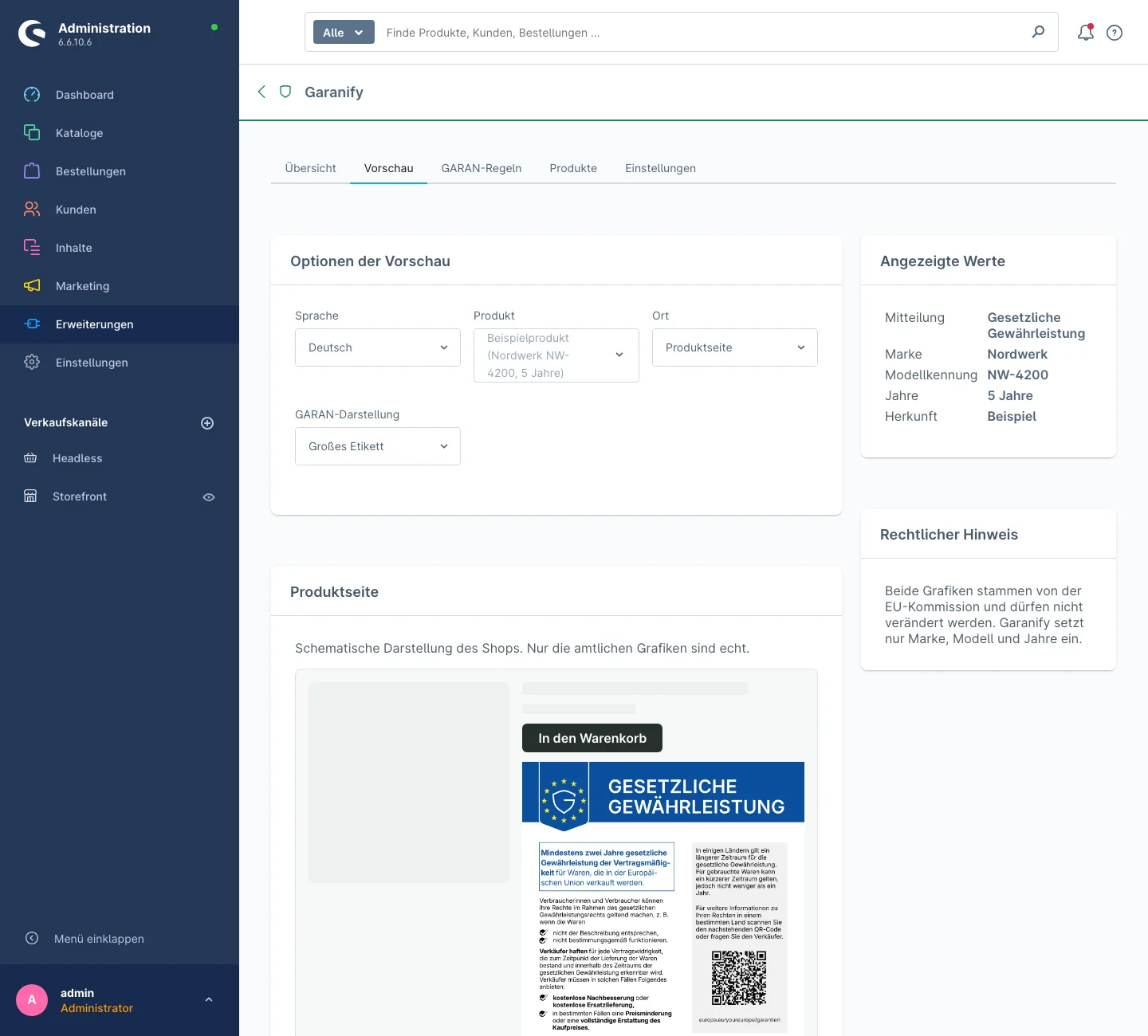
The card Displayed values names brand, model identifier, years and the source (Sample, Product or Rule). Edit product takes you to the product.
Size
In the settings, card Notice:
- Maximum width on the product page (px): default 480
- Maximum width in cart and checkout (px): default 360. Applies to off-canvas cart, cart, checkout and order completed page.
The notice is never cropped, only scaled down. On narrow screens it uses the full width.
Full or nested label
In the card GARAN label, under GARAN on the product page, choose:
- Full label: the complete label right on the page (default)
- Nested (small, opens on click): a small label; a click opens the full one
In cart and checkout the label is always nested.
Link below the notice
Show a link below the notice adds a link that opens the notice as an image in a new tab. Off by default.
Related questions
Can I change the colour of the notice?
No. The notice is an official graphic and must stay unchanged. Only the width can be adjusted.
Why is the GARAN display locked for the cart?
Space is tight in the cart. There the label is always nested; a click opens the full label.
Is the preview a real shop?
No. The stage is schematic; only the official graphics with your values are real.
How wide should the notice be?
The defaults of 480 and 360 pixels read well. Below about 300 pixels the text gets small.
Sources
Was this article helpful?
What was missing? Send us a short note and we will add it to the article. Send feedback by email
Your choice is not stored or sent anywhere.
Thank you for your feedback. What was missing? Send us a short note and we will add it to the article. Send feedback by email