

Shopify App
Preview and appearance in Shopify
Last updated 18 November 2026
In short
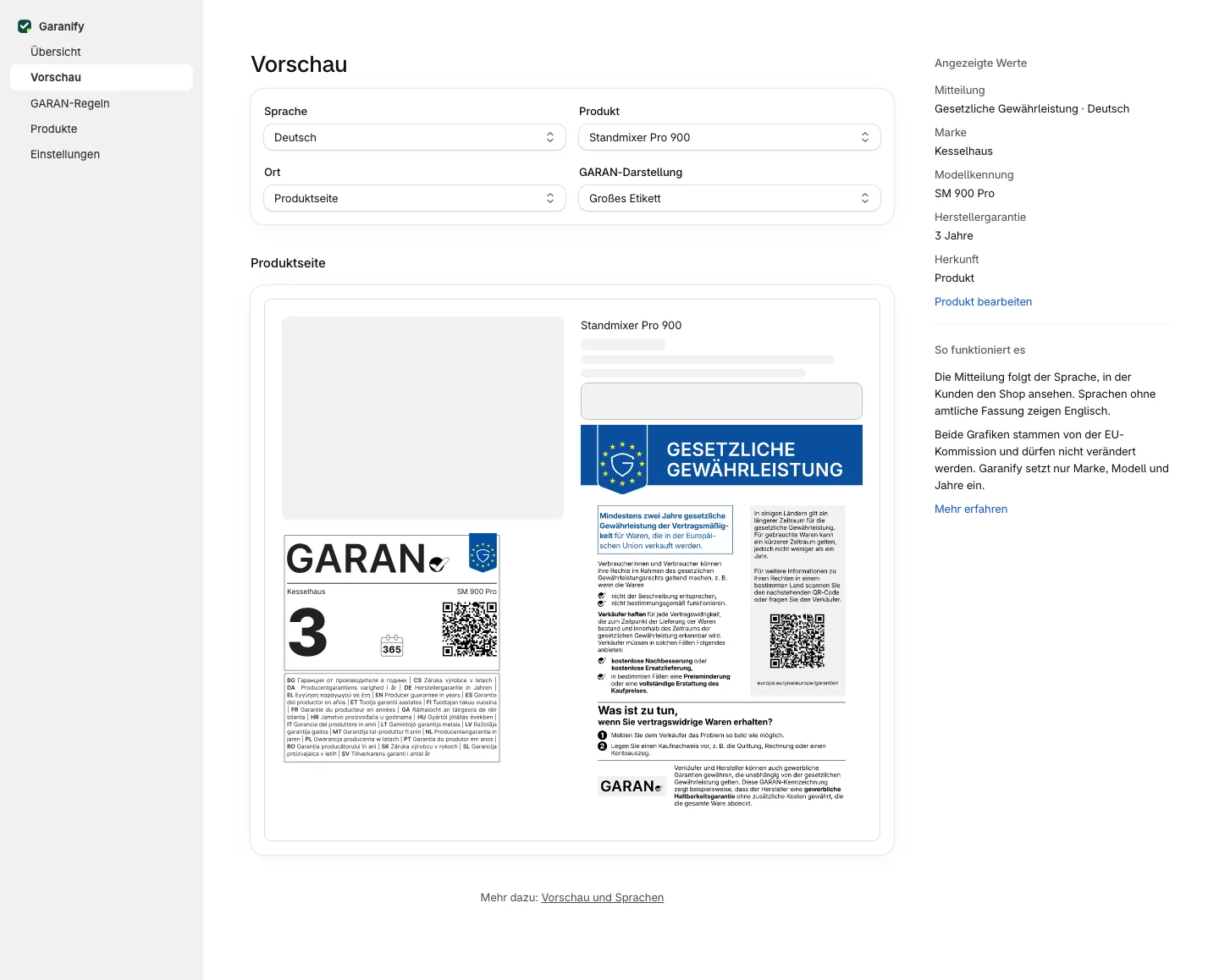
In the preview you see the notice and GARAN label as in the shop, for every language, every product with a label, product page or cart. The sidebar lists the shown values and where they come from. Size and display are set on the blocks in the theme editor.
The controls
At the top choose:
- Language: shop languages and other EU languages
- Product: up to 20 products with a valid label, plus the Sample product (Nordwerk NW-4200, 5 years)
- Place: Product page or Cart
- GARAN display: Large label or Nested (opens the large label). Always nested in the cart.
Shown values
The sidebar lists notice, brand, model identifier, producer guarantee and the source: sample, rule or product. Edit product opens the product in the Products tab.
Size and display in the shop
The preview does not change settings. In the shop, the block settings in the theme editor apply:
- Legal guarantee notice: Maximum width, default 480 pixels
- GARAN label: Display and the widths of the full and nested label
- App embed Garanify: Maximum width in the cart
Related questions
Why is my product not in the list?
The list shows up to 20 products with a valid label. Products without valid details are not listed.
Can I change the colours?
No. The official graphics stay unchanged. Only the width can be set.
Is the preview the same as in the theme?
The graphics are identical. Spacing and surroundings in the shop come from your theme.
What does nested mean?
A small label that opens the large one on click. In the cart it is always set this way.
Sources
Was this article helpful?
What was missing? Send us a short note and we will add it to the article. Send feedback by email
Your choice is not stored or sent anywhere.
Thank you for your feedback. What was missing? Send us a short note and we will add it to the article. Send feedback by email