

PrestaShop Plugin
Create GARAN rules in PrestaShop
Last updated 18 November 2026
In short
A GARAN rule gives every matching product a producer guarantee in years. In PrestaShop the conditions are manufacturer, category including subcategories, and tag. The first matching rule applies; years on the product always win. Rules are included in Pro.
The table
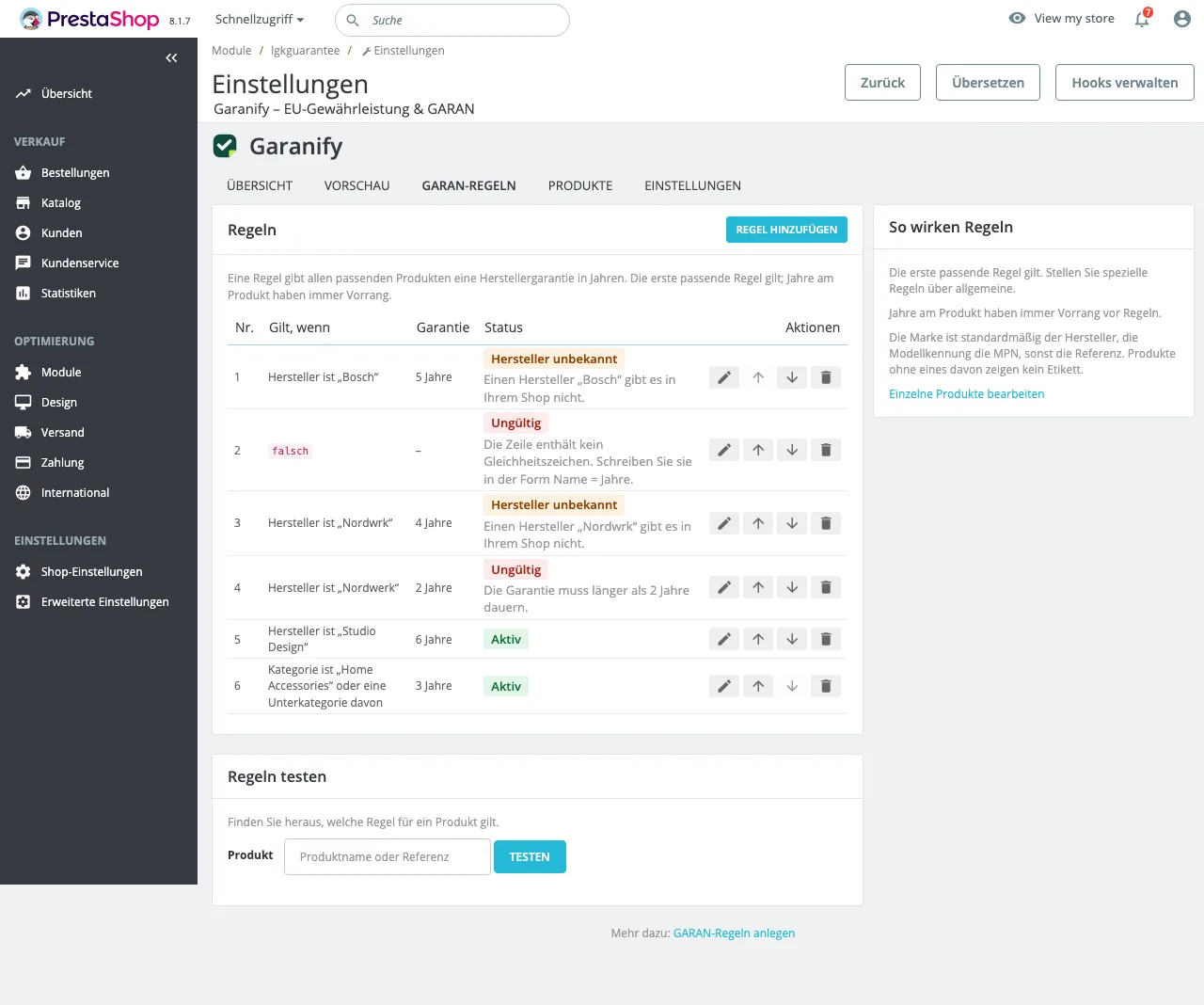
On the GARAN rules tab each rule reads as a sentence, such as: Manufacturer is “Nordwerk” and Category is “Household” or a subcategory of it. The columns are No., Applies if, Guarantee, Status and Actions.
Add a rule
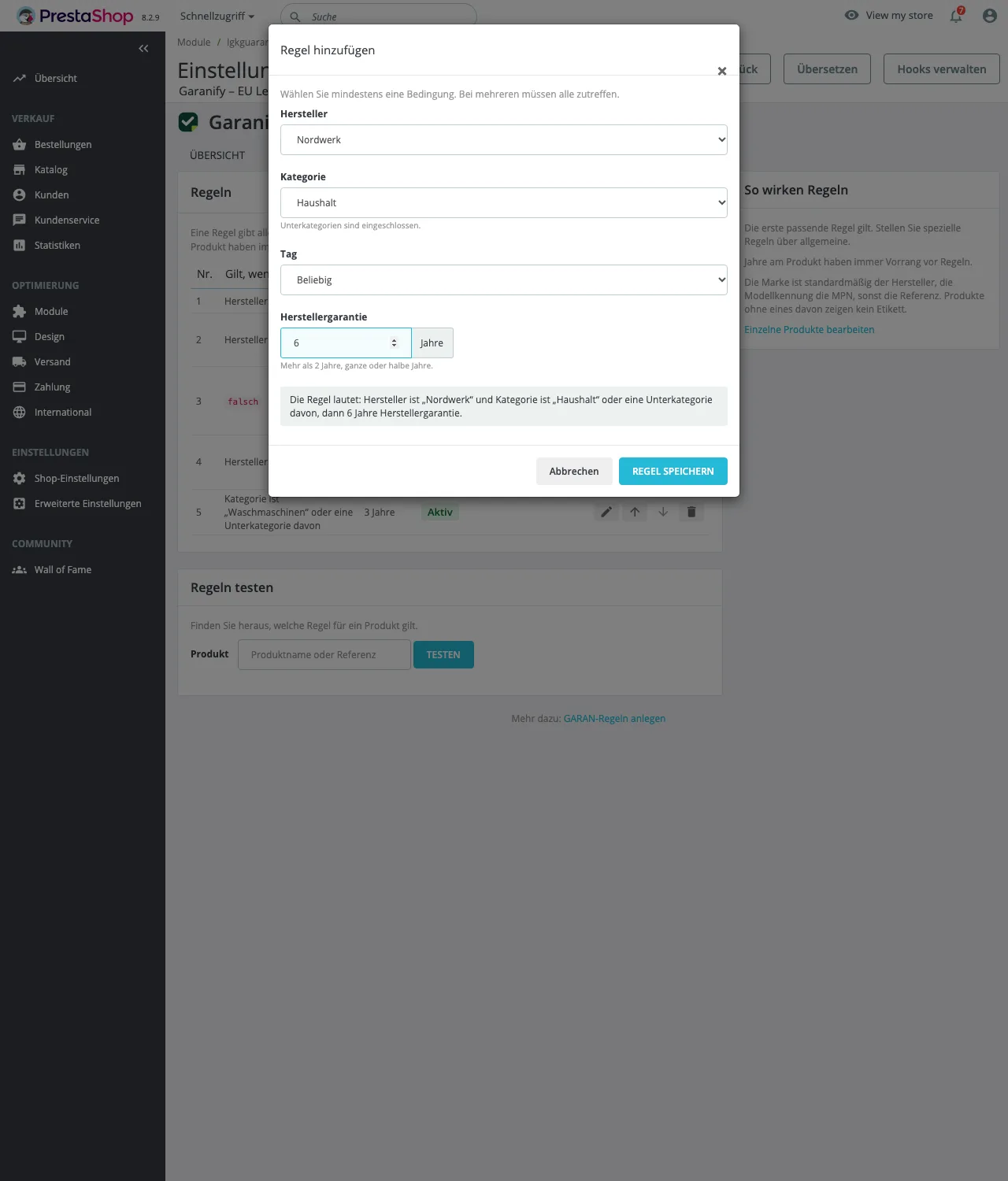
- Click Add rule.
- Choose Manufacturer, Category and Tag. “Any” leaves a condition open. Subcategories are included.
- Enter the Producer guarantee: more than 2 years, whole or half years.
- Check “The rule reads: … then 6 years of producer guarantee.” and click Save rule.
Order and priority
- The first matching rule applies. Put specific rules above general ones.
- Years on the product always win over rules.
- Brand defaults to the manufacturer, model identifier to the MPN, otherwise the reference.
Status
| Status | Meaning |
|---|---|
| Active | The rule applies. |
| Never applies | for example an earlier rule matches first, or the manufacturer named in the rule does not exist in your shop. |
| Invalid | The reason is shown below. Unreadable old lines appear in red in the Applies if column. |
Test rules
In Test rules search by product name or reference and click Test. For each rule you see whether it applies, would match but an earlier rule applies, or does not match, plus the resulting label.
Related questions
Which rule applies if two match?
The upper one. The lower one gets “Never applies” if it never gets a turn.
Why does it say a manufacturer does not exist?
The name from an old text rule matches no manufacturer, often a typo. Create the rule again.
Does a category rule cover subcategories?
Yes. Category rules include subcategories.
What happens to rules in the Free plan?
They stay saved and readable but only apply again with Pro.
Sources
Was this article helpful?
What was missing? Send us a short note and we will add it to the article. Send feedback by email
Your choice is not stored or sent anywhere.
Thank you for your feedback. What was missing? Send us a short note and we will add it to the article. Send feedback by email