

Shopware 5 Plugin
Show and place the notice in Shopware 5
Last updated 18 November 2026
In short
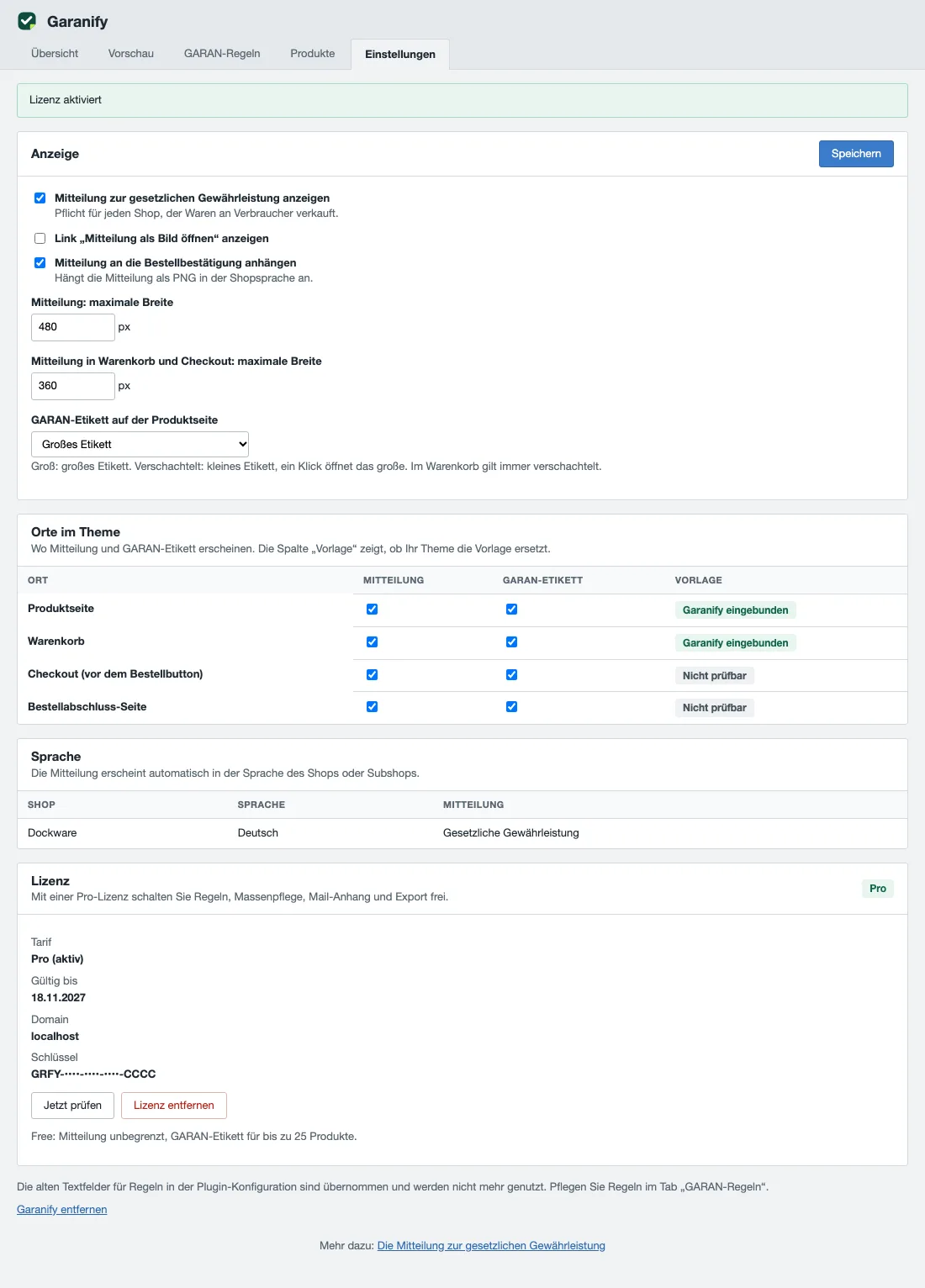
The notice on the legal guarantee is switched on after installation. In Settings > Garanify, Settings tab, the card “Places in the theme” sets where it appears: product page, cart, checkout before the order button and the order completed page.
Switch on
On the Settings tab, card Display, you find Show notice on the legal guarantee. It is ticked after installation. Save changes with Save.
Places in the theme
The card Places in the theme has one tick for the notice and one for the GARAN label per place.
| Place | Smarty block |
|---|---|
| Product page | frontend_detail_index_actions in detail/content/buy_container.tpl |
| Cart | frontend_checkout_cart_table_actions_bottom in checkout/cart.tpl |
| Checkout (before the order button) | frontend_checkout_confirm_confirm_table_actions in checkout/confirm.tpl |
| Order completed page | frontend_checkout_finish_items in checkout/finish.tpl |
The Template column shows “Garanify included”, “Replaced by the theme” or “Cannot be checked”. Garanify only checks the product page and cart templates. Check checkout and the order completed page in your shop.
More options
- Show the link “Open notice as image”
- Attach the notice to the order confirmation e-mail: attaches the notice as PNG in the shop language
- Notice: maximum width (default 480 pixels) and Notice in cart and checkout: maximum width (default 360 pixels)
Related questions
Does the notice have to appear in every place?
The regulation requires it before the contract is concluded, in a prominent manner. Product page and cart are common; checkout adds to them.
What does “Replaced by the theme” mean?
Your theme replaces the template without keeping the Smarty block. Include the named block in your theme.
Is there still a configuration in the Plugin Manager?
Yes, with the same display options. The Settings tab in Garanify is the clearer place to use.
Does the notice appear in the off-canvas cart?
No. Only the small GARAN label per item appears there. The notice is on the cart page.
Sources
Was this article helpful?
What was missing? Send us a short note and we will add it to the article. Send feedback by email
Your choice is not stored or sent anywhere.
Thank you for your feedback. What was missing? Send us a short note and we will add it to the article. Send feedback by email