

JTL-Shop 5 Plugin
Preview and appearance in JTL-Shop 5
Last updated 18 November 2026
In short
In the preview you see the notice and GARAN label in a schematic shop, per language, product and place. The sidebar lists the shown values and their source. Width and label display are set on the Settings tab.
The preview
Choose language, product (or the sample), place and display, then click Update preview. The cart always uses the nested label.
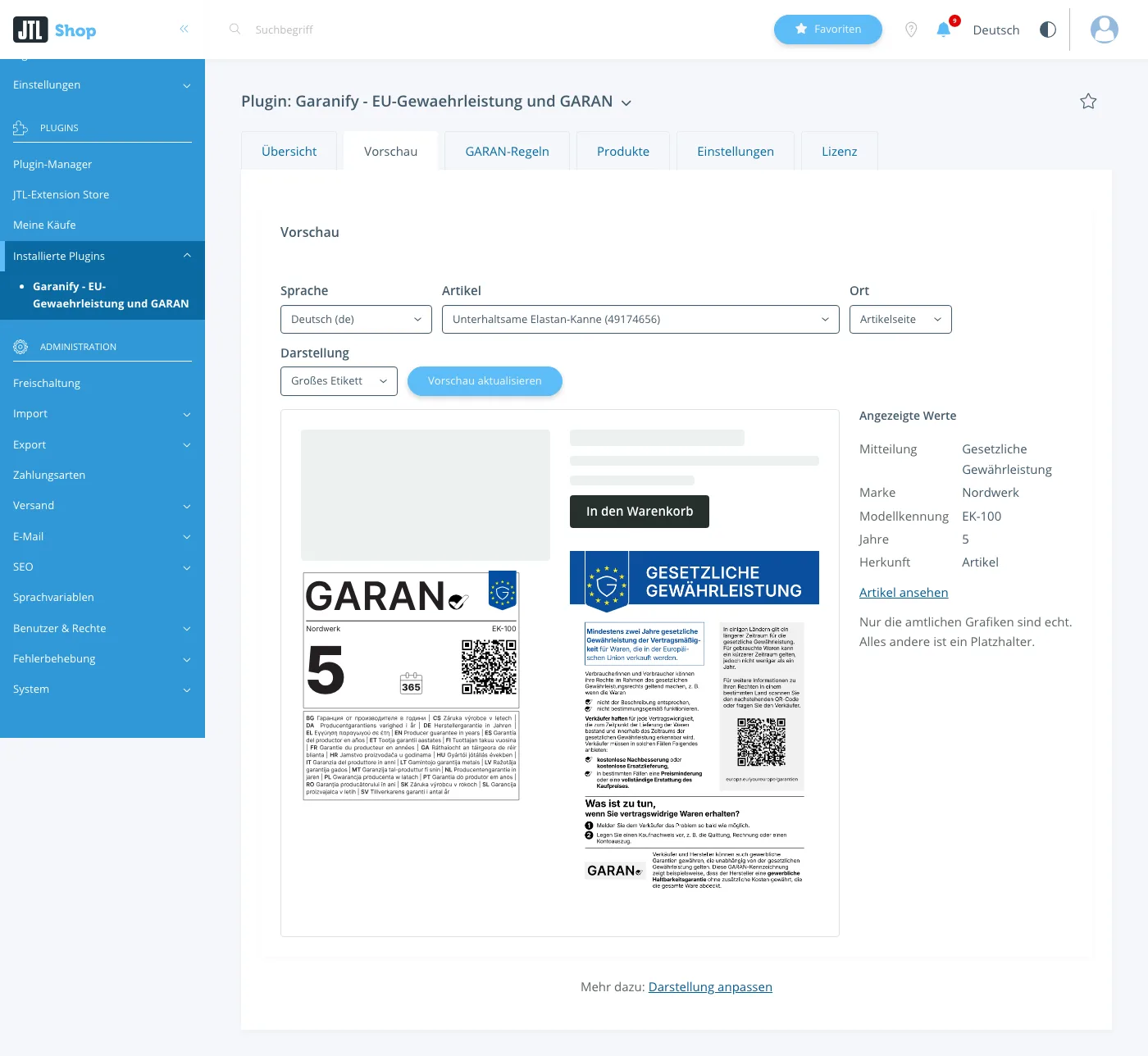
The sidebar lists notice, brand, model identifier, years and source. Only the official graphics are real; everything else is a placeholder.
Display settings
On the Settings tab:
| Setting | Effect |
|---|---|
| Maximum width in pixels | notice, 120 to 1200, default 480 |
| Show GARAN label | only for products with valid details |
| Display on the product page | Full: label next to the product image. Nested: small label, a click opens the large one |
| Label in the cart (nested, per item) | on or off |
| Label in checkout (nested, per item) | on or off |
Related questions
Why is my product not in the preview?
The list shows products with a valid label.
Where does the full label appear?
Next to the product image in the NOVA gallery.
Can I change the colours?
No. Only the width can be set.
Sources
Was this article helpful?
What was missing? Send us a short note and we will add it to the article. Send feedback by email
Your choice is not stored or sent anywhere.
Thank you for your feedback. What was missing? Send us a short note and we will add it to the article. Send feedback by email