

JTL-Shop 5 Plugin
GARAN details per product in JTL-Shop 5
Last updated 18 November 2026
In short
You maintain years, brand and model in JTL-Wawi as function attributes on the product: garanify_jahre, garanify_marke, garanify_modell and garanify_aus. After syncing, the Products tab in Garanify shows which products show a GARAN label and why others have none.
Function attributes in JTL-Wawi
| Attribute | Meaning |
|---|---|
| garanify_jahre | producer guarantee in years, more than 2, whole or half years, such as 5 or 7.5 |
| garanify_marke | brand on the label. Empty: the product’s manufacturer |
| garanify_modell | model identifier. Empty: MPN (HAN), otherwise SKU |
| garanify_aus | 1 or yes hides the label for this product |
Variation children without their own years take the parent’s value. The values apply after syncing with the shop.
The Products tab
The Products tab is titled “Products with GARAN data”. Filter by All, With label, Invalid and Without label and use Search products. Each row shows Brand · model · years and the source: product or rule.
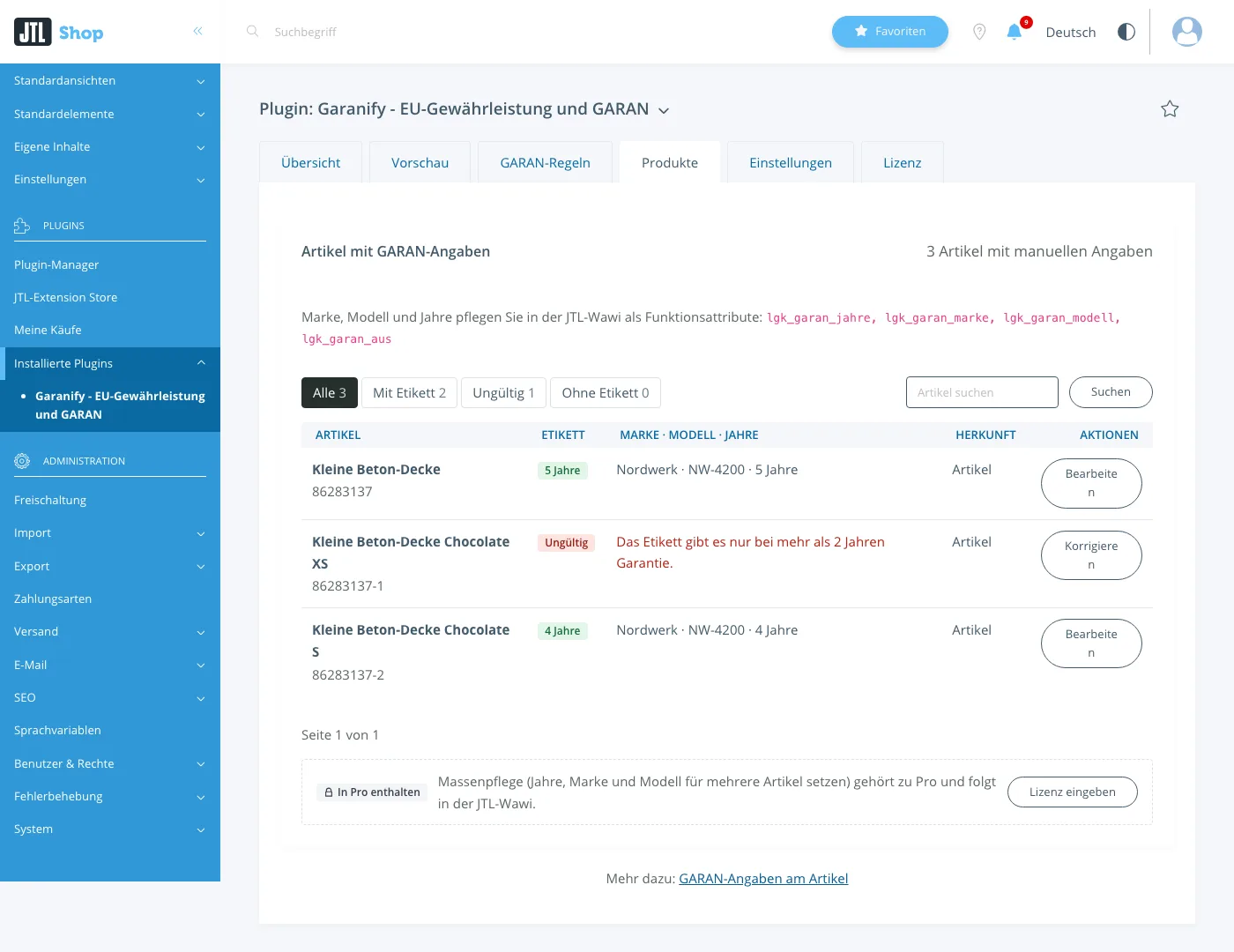
Edit and Correct open the product page in the shop in a new tab. You change the values in the Wawi.
Reasons for “Invalid”
- The brand is missing: enter garanify_marke or assign a manufacturer.
- The model is missing: enter garanify_modell or give the product an MPN or SKU.
- Years of 2 or less, not whole or half years, more than 99 years
Many products at once
In JTL-Shop the product data comes from JTL-Wawi, and every sync overwrites changes made in the shop. That is why Garanify has no bulk editing for JTL-Shop. Set function attributes for many products in the Wawi, for example with JTL-Ameise. The next sync brings them to the shop.
Export evidence
Export evidence (CSV) in the Products tab downloads a file. It has one row per shop language for the notice, with its placements and the time since when it has been active that way, and one row per product with GARAN data: brand, model, years, source and status (active, invalid with reason, hidden, over the free limit). Keep the file as evidence. The export is part of Pro.
Related questions
Why do I not see my change?
The values come from the Wawi. Sync the product with the shop and click Check again.
Does Garanify use the EAN as model?
No. Without your own entry, the MPN applies, otherwise the SKU.
Does the case of the attribute names matter?
No. garanify_jahre and GARANIFY_JAHRE work the same.
How many products does the tab evaluate?
For very large catalogues only the first matches. The page states the limit.
Sources
Was this article helpful?
What was missing? Send us a short note and we will add it to the article. Send feedback by email
Your choice is not stored or sent anywhere.
Thank you for your feedback. What was missing? Send us a short note and we will add it to the article. Send feedback by email